

- Home
- IIoT Platform
- Data Logging
PLC data logging for machines has never been this easy
Securely collect, store and monitor your machine data in real time with IXON. Easily configure PLC data logging and visualize insights without coding or complex setups.
Secure and easy machine PLC data logging with IXON
Keep your machine data secure and accessible
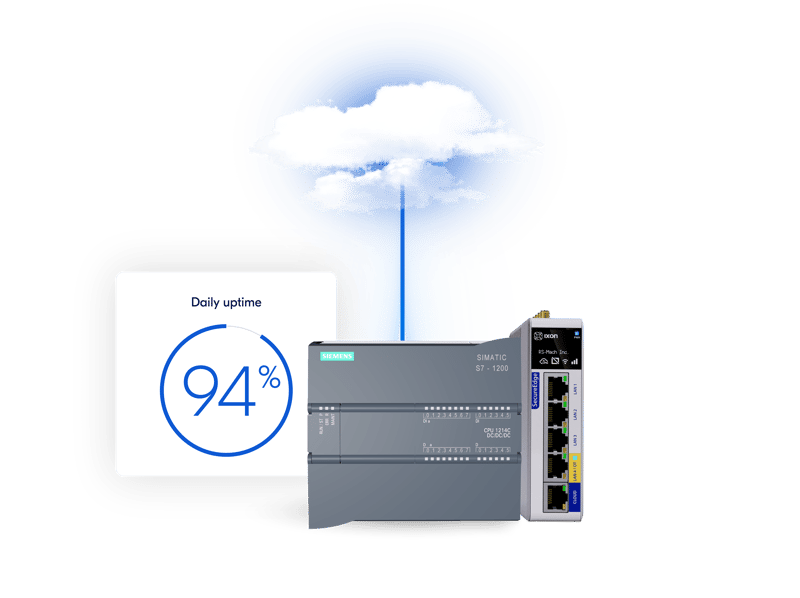
Log machine data with confidence. All data is securely transferred to the cloud using encrypted connections. Even during connection loss, our edge gateways locally buffer data and sync it once online.
- Local buffering on 8GB flash drive
- Encrypted data transfer (MQTT protocol)
- 24/7 monitoring and ISO 27001 & IEC 62443 certified security
Set up data collection and monitoring in minutes
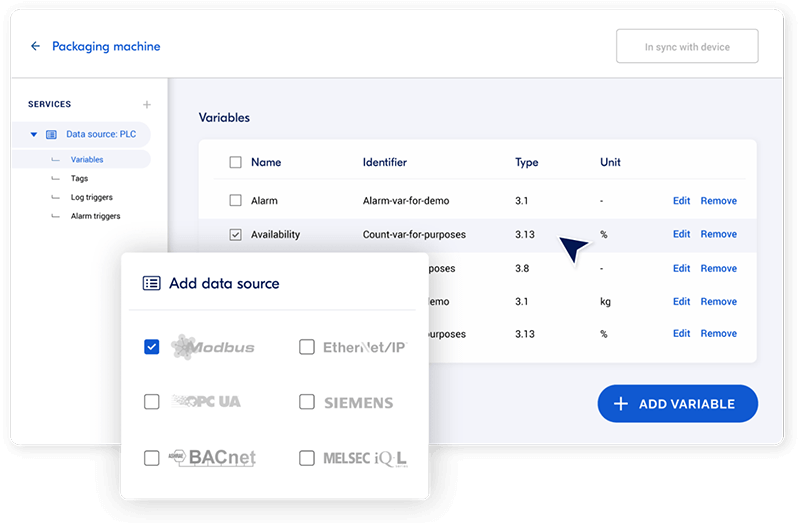
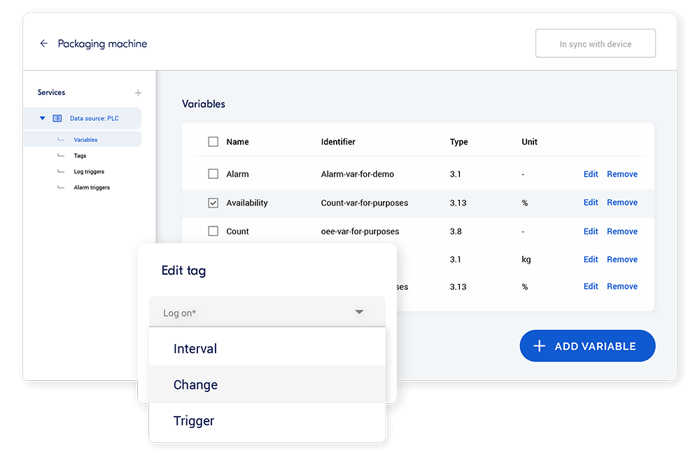
Configure PLC data logging in IXON Cloud without coding. Just choose your protocol, variables and logging triggers and you’re ready to go.
- No-code drag & drop setup
- Customize triggers, intervals and retention
- Real-time & historical data tracking
- Broad protocol support (OPC-UA, Modbus, S7, etc.)
Turn machine data into actionable insights
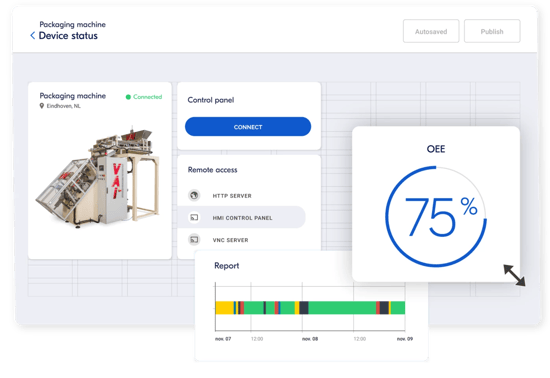
Turn raw data into insights with IXON’s drag-and-drop dashboards. Visualize machine performance in real time and export data to your ERP or analytics tools via open APIs.
Get started with Machine Insights CloudFrequently asked questions
What is PLC data logging?
PLC data logging is the process of collecting and storing data from your industrial machines’ PLCs (Programmable Logic Controllers). By logging this data in the IXON Cloud, you can monitor machine performance, track production metrics, and analyze historical trends to optimize operations.
Using devices like the SecureEdge gateways, you can securely connect to your machines, check PLC status, troubleshoot issues, and perform maintenance from anywhere. This reduces the need for on-site visits and improves operational efficiency.
How does PLC data logging work?
PLC data logging starts with your edge gateway, such as the SecureEdge gateways, reading data from your PLC using standard industrial protocols like OPC‑UA, Modbus, S7 and others. This machine data is collected, buffered and securely sent to the IXON Cloud, where it’s stored and made accessible for analysis and visualization.
You configure which variables you want to log, how often, and under what conditions directly in IXON Cloud using a no‑code setup. If the internet connection drops, the gateway buffers data locally and synchronizes it once connectivity is restored.
Once data is in the cloud, you can view real‑time and historical machine performance in dashboards, export data to other tools, or use it to generate insights that help optimize operations and maintenance.
What is data logging used for?
Data logging is used to collect and record data from industrial machines to monitor performance, detect anomalies and analyze operational metrics. This data can include parameters such as temperature, pressure, cycle times, etc. The collected data helps to improve machine performance, plan maintenance activities and optimize overall production processes. IXON’s data logging capabilities enable users to visualize this data in customizable dashboards and use it for generating reports and setting up alerts for specific events.
Can you save the PLC data externally?
Yes, PLC data can be saved externally using the IXON Cloud. Data collected by devices like the IXrouter or SecureEdge Pro is transmitted securely to the cloud, where it’s stored and can be accessed remotely. IXON Cloud allows for the export of data to other tools for further analysis, enabling integration with ERP systems, Marketplace apps or custom-developed apps.
Can I customize how and when data is logged?
Yes, you can configure data logging triggers based on time intervals, data changes or specific events. You also control data retention policies, aggregation and logging rates via an easy no-code interface.
How is machine data securely transferred to IXON Cloud?
Data is encrypted during transfer from the edge gateway to IXON Cloud. If the connection is lost, data is safely stored locally on the edge gateway’s 8GB flash memory until the connection is restored.
Which industrial communication protocols does IXON support?
IXON supports a broad range of protocols including Modbus TCP, MELSEC, BACnet, OPC-UA, Siemens S7, Ethernet/IP and more, allowing seamless integration with various machines.
What happens if my internet connection is unstable?
IXON’s edge gateways buffer and store data locally until the connection is restored, ensuring no data is lost during outages.